3D Camera TrackingInside Unreal.
The first plugin that runs full, sub-pixel accurate camera solves directly in Unreal Engine — no external software, no manual work.
100% AI-Free · 7-Day Money-Back Guarantee
How It Works
A complete walkthrough of the Genesis workflow — from raw footage to a fully tracked, VFX-ready Unreal scene.
Built For Unreal,
From the Ground Up.
Every feature you need for production-ready VFX — engineered to work seamlessly inside Unreal Engine.
Run full, sub-pixel accurate 3D camera solves directly inside Unreal Engine, fully in the background. No manual tracking required — Genesis handles everything.
Genesis rebuilds your environment geometry automatically from thousands of track points. Get a detailed, textured environment mesh in minutes, plus a dense point cloud for reference and precision.
Automatic distortion modeling and compensation for real-world lens characteristics in-engine. This is the difference between solves that stick and solves that slide.
Already have a distortion workflow? Genesis can ignore distortion if you've already undistorted your footage.
Calibrate your scene scale with real measurements and easily align your ground plane for physical accuracy. Background plate preview lets you see your composite directly in-engine with no manual setup required.
Easily move your tracked scene, reconstructed mesh, and asset hierarchy to any 3D DCC — Blender, Maya, Houdini, and beyond. Genesis fits into any pipeline.
READY TO TRACK INSIDE UNREAL?
Get Genesis NowStraight From the
Unreal Community
"I'm so amazed by this plugin already. I genuinely can see it replacing a lot of the tools I use."
"Simply amazing. Can't wait for the new features like automated masking."
"Great tools! They've made compositing in Unreal far more intuitive. Excited to see how the plug-ins evolve."
Built by a
Filmmaker,
For Filmmakers.
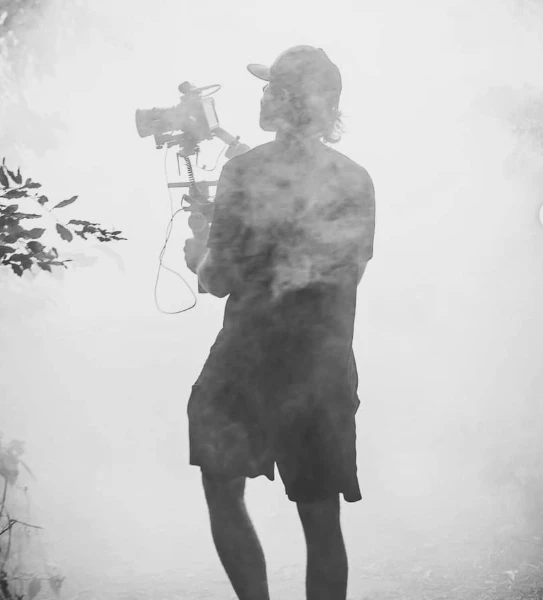
I'm Sam — filmmaker, Unreal instructor, and the person behind Genesis. I built this after hearing the same frustration again and again:
"Camera tracking workflows are slow, fragmented, and expensive — and the results still aren't reliable."
Genesis changes that. By centralizing camera solves, lens distortion, scale alignment, and background plates inside Unreal Engine, it removes guesswork, cuts setup time, and delivers consistent results — no manual work, no external software.
Built For Anyone Adding
VFX to Real Footage
Never tracked a scene before? No problem. Genesis guides you through the entire process — no prior experience required.
Camera tracking is the biggest roadblock to VFX in your film. Genesis removes it and gives you results that take your work to the next level.
Want tracks that stick and a tool that just works? Genesis exports cleanly to Maya, Houdini, or Blender.
Genesis integrates seamlessly into any pipeline. Fully in-engine with FBX export, it fits wherever you need it.
Ready to Track
Inside Unreal?
Choose the plan that works for you. Every plan includes full access to Genesis and all bonus training.
- Full access to Genesis plugin
- All updates included
- All bonus training included
- Cancel anytime
- Lifetime access to Genesis
- 1 year of updates included
- All bonus training included
- Extend updates for $49/yr
- Switch to subscription anytime
LAUNCH PRICE — INCREASES AS FEATURES SHIP
- Full access to Genesis plugin
- All updates included automatically
- All bonus training included
- Cancel anytime
$175 in Bonus Training
FREE WITH YOUR GENESIS PURCHASE
A step-by-step walkthrough of setting up Genesis and understanding the core tracking workflow.
Practical training for using Unreal Engine as a powerful VFX tool — render passes, compositing, and more.
Guidelines for capturing and preparing footage for reliable in-engine camera tracking results.